
Umbraco or WordPress for a B2B company
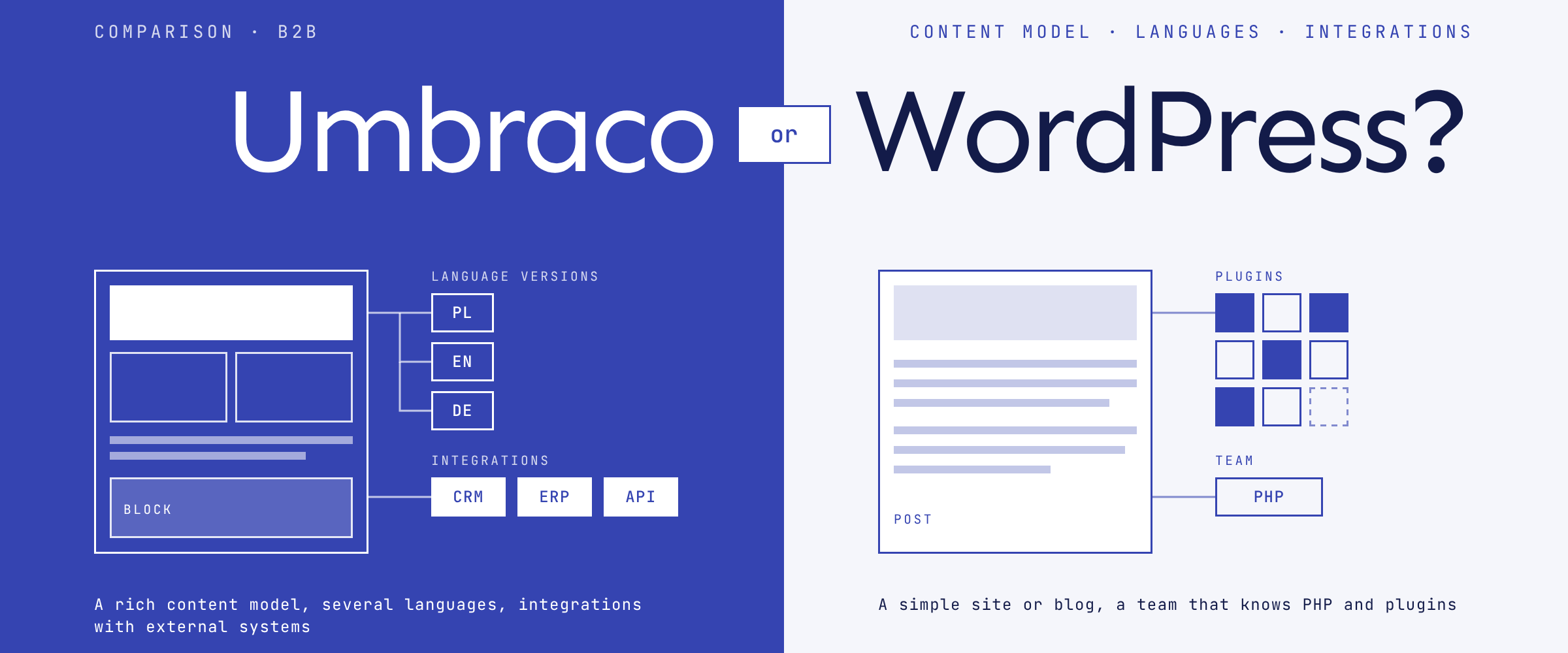
WordPress is usually enough when you need a simple company site or blog and your team knows PHP and plugins. Umbraco fits better when the site has a rich content model, several languages and integrations with external systems. Popularity should not decide it. How you work with content, and who will maintain the site, should.
Content model and editors
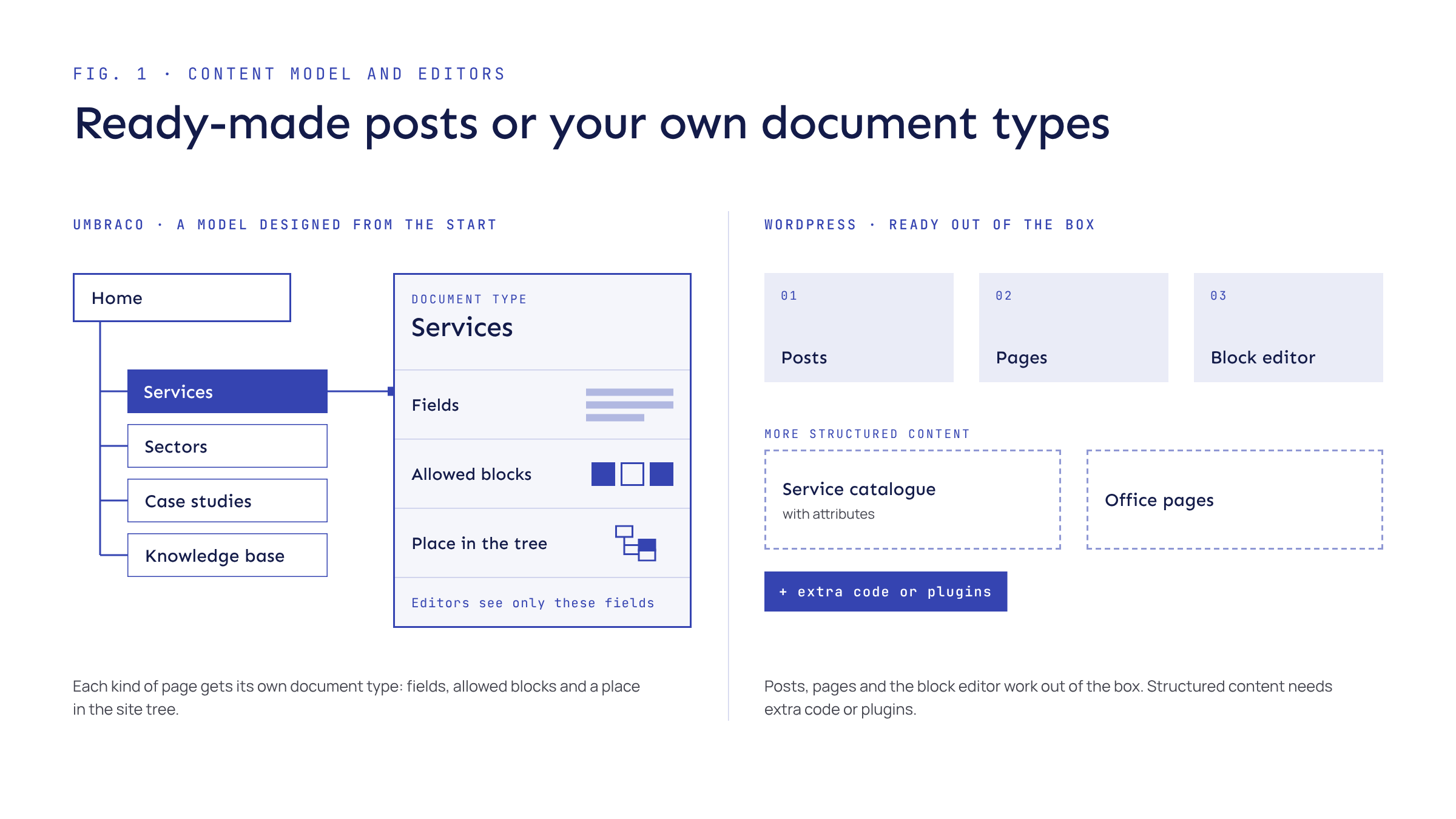
WordPress started life as a blogging platform, and it still shows. Posts, pages and the block editor work out of the box, and editors pick them up quickly. More structured content, such as a service catalogue with attributes or a page for each office, needs extra code or plugins.
In Umbraco you design the content model from the start. Each kind of page gets its own document type: fields, allowed blocks and a place in the site tree. Editors see only what that page needs. It takes more work up front, but on a B2B site with services, sectors, case studies and a knowledge base, that structure soon pays for itself.
Multilingual sites
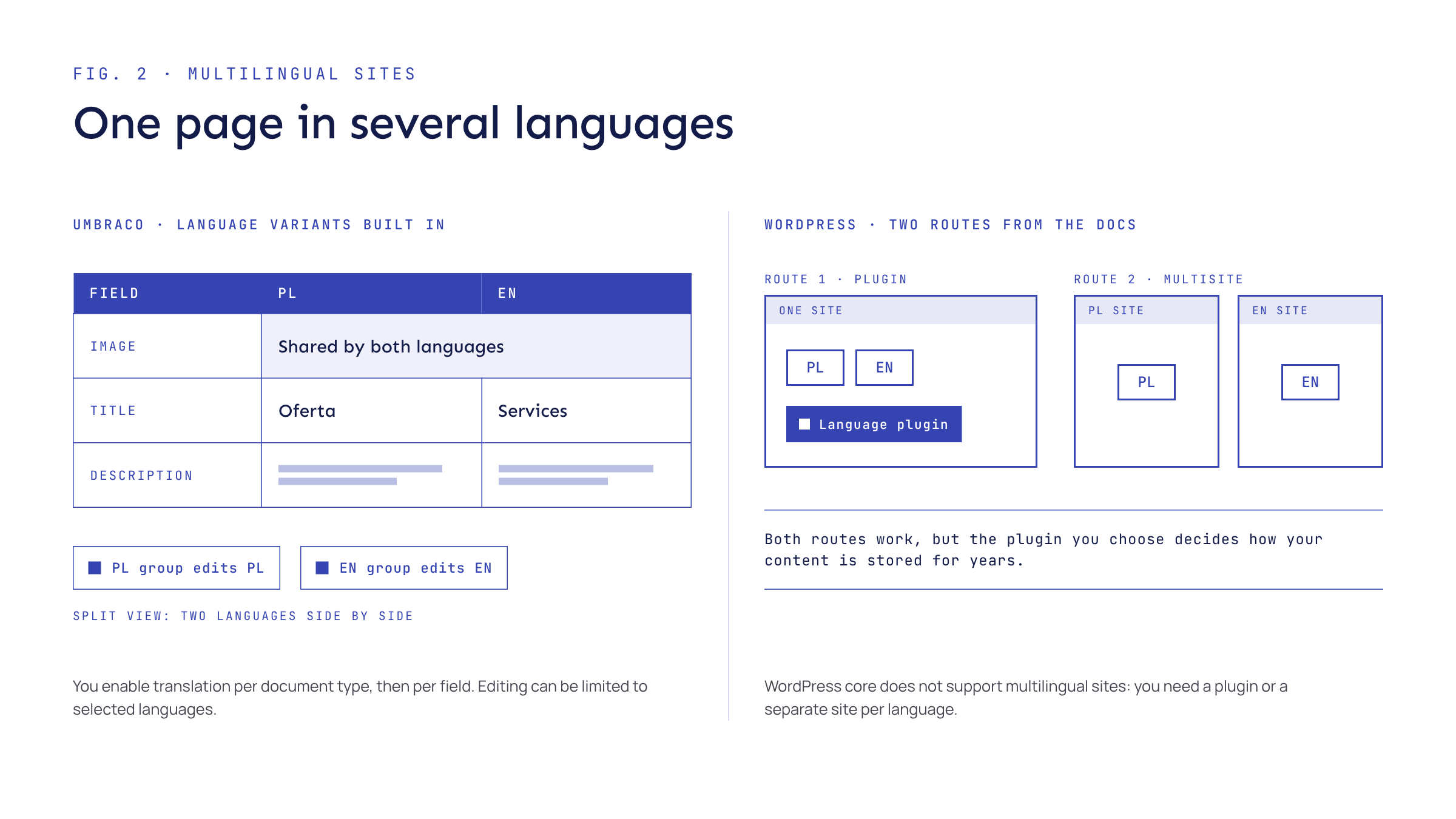
WordPress core does not support multilingual sites out of the box. Its documentation describes two routes: plugins, or a Multisite network with one site per language. Both work, but the plugin you choose decides how your content is stored for years to come.
In Umbraco, language variants are built in:
- You enable translation per document type and then per field, so an image can be shared while the text differs by language.
- Editors can work on two languages side by side in a split view.
- User groups can be limited to editing selected languages, which helps when different teams own different versions.
Integration with external systems
A B2B website rarely stands alone. Enquiries go to the CRM, product data comes from the ERP, and partners sign in to a client area.
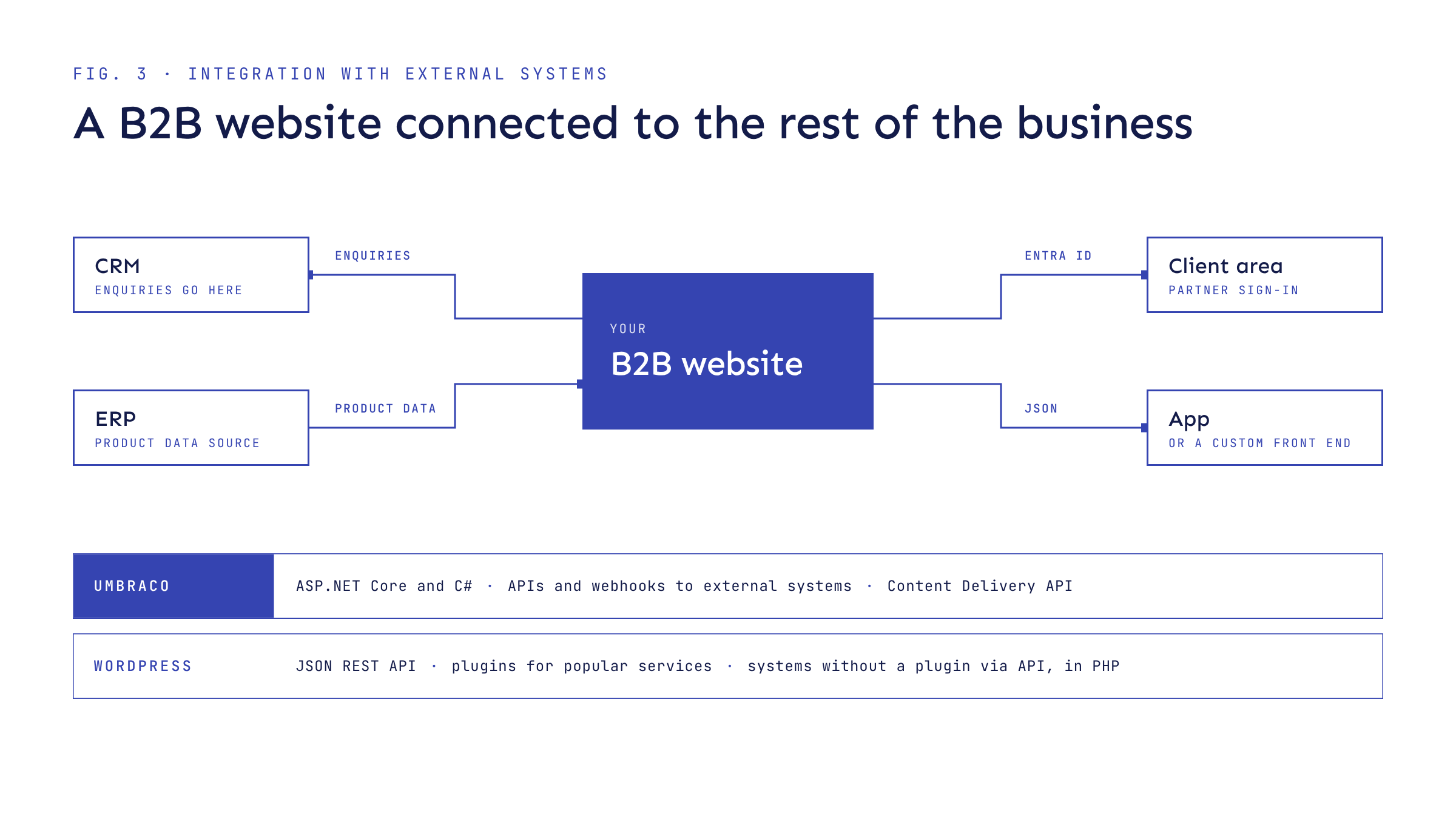
Umbraco connects to external systems through their APIs, whatever technology they are built on, and built-in webhooks notify other systems when content is published or deleted. Integrations are written in ASP.NET Core and C#. If your business already runs systems on .NET or Azure, some code can be shared with other applications. Sign-in through external providers, including Microsoft Entra ID, uses standard ASP.NET Core packages. The built-in Content Delivery API serves content as JSON when you need an app or a separate front end.
WordPress has a REST API for reading and writing content as JSON, and a huge choice of plugins for popular services. If your tools have a well-maintained plugin, integration can be quick and cheap. A connection to a system that has no plugin, however, has to be built against its API, on the PHP side.
Security, maintenance and hosting
On most sites, WordPress installs minor core releases, including security fixes, automatically by default. Plugins and themes update themselves only in special cases. In practice, a WordPress site’s security depends on how many plugins it uses, how well they are maintained and who keeps on top of updates. Hosting is easy to find: any server with PHP and MySQL or MariaDB will do.
Umbraco has a predictable release cycle. LTS versions get about three years of support, and the dates for security-only support and end of life are published well in advance. The flip side is that every few years you need to plan a move to the next LTS. Umbraco 13, for example, reaches end of life on 14 December 2026.
You can host Umbraco yourself, on Windows or Linux, or use Umbraco Cloud. Cloud runs on Microsoft Azure and includes:
- Automatic upgrades with security patches.
- Staging and live environments.
- An Umbraco Forms licence included in the hosting price.
- Umbraco Deploy, the equivalent of uSync, on every plan.
- Point-in-time restore.
Licence, total cost and team skills
Both are open source. Neither charges for the CMS itself. Total cost comes from the build, hosting, paid add-ons and several years of maintenance.
- WordPress: widely available hosting, premium plugins and themes, and regular time for updates and the testing that follows them.
- Umbraco on your own hosting: a server on your own infrastructure, on Windows or Linux, plus paid add-ons if you need them. Umbraco Forms 17, for example, requires a subscription licence key.
- Umbraco Cloud: the Umbraco Forms licence is already included in the hosting fee. The price also covers Umbraco Deploy, the equivalent of uSync, which moves schema and content between environments.
Skills matter too. If your team or supplier works in PHP, WordPress is the natural choice. If you have .NET developers or systems in Azure, Umbraco lets you reuse that knowledge and tooling. Compare costs over three to five years, not just the launch budget.
When to choose WordPress, and when Umbraco
We specialise in Umbraco, so we will say it plainly: not every business needs it.
01
WordPress is the better choice when
- the site is simple: a few pages, a blog, news;
- one language is enough, or two with a simple structure;
- the integrations you need have ready-made, actively maintained plugins;
- the launch budget is small and your team knows PHP;
- someone has the time and responsibility for regular updates.
02
Umbraco is the better choice when
- your content has many types and relationships, such as services, sectors, case studies and offices;
- the site runs in several languages managed by different teams;
- the site connects to a CRM, ERP and other external systems;
- you want full control of the code and a predictable version cycle;
- you want managed hosting with several environments.
Sources
- Umbraco CMS product overview
- Umbraco CMS MIT licence
- Umbraco language variants
- Umbraco external login providers
- Umbraco Content Delivery API
- Umbraco Cloud
- Umbraco LTS and EOL policy
- Umbraco 17 LTS release
- WordPress licence
- WordPress server requirements
- Multilingual WordPress
- Upgrading WordPress
- WordPress REST API
Not sure which platform suits your business?
We will help you weigh up the content model, integrations and running costs before you choose a technology.
Read next
All posts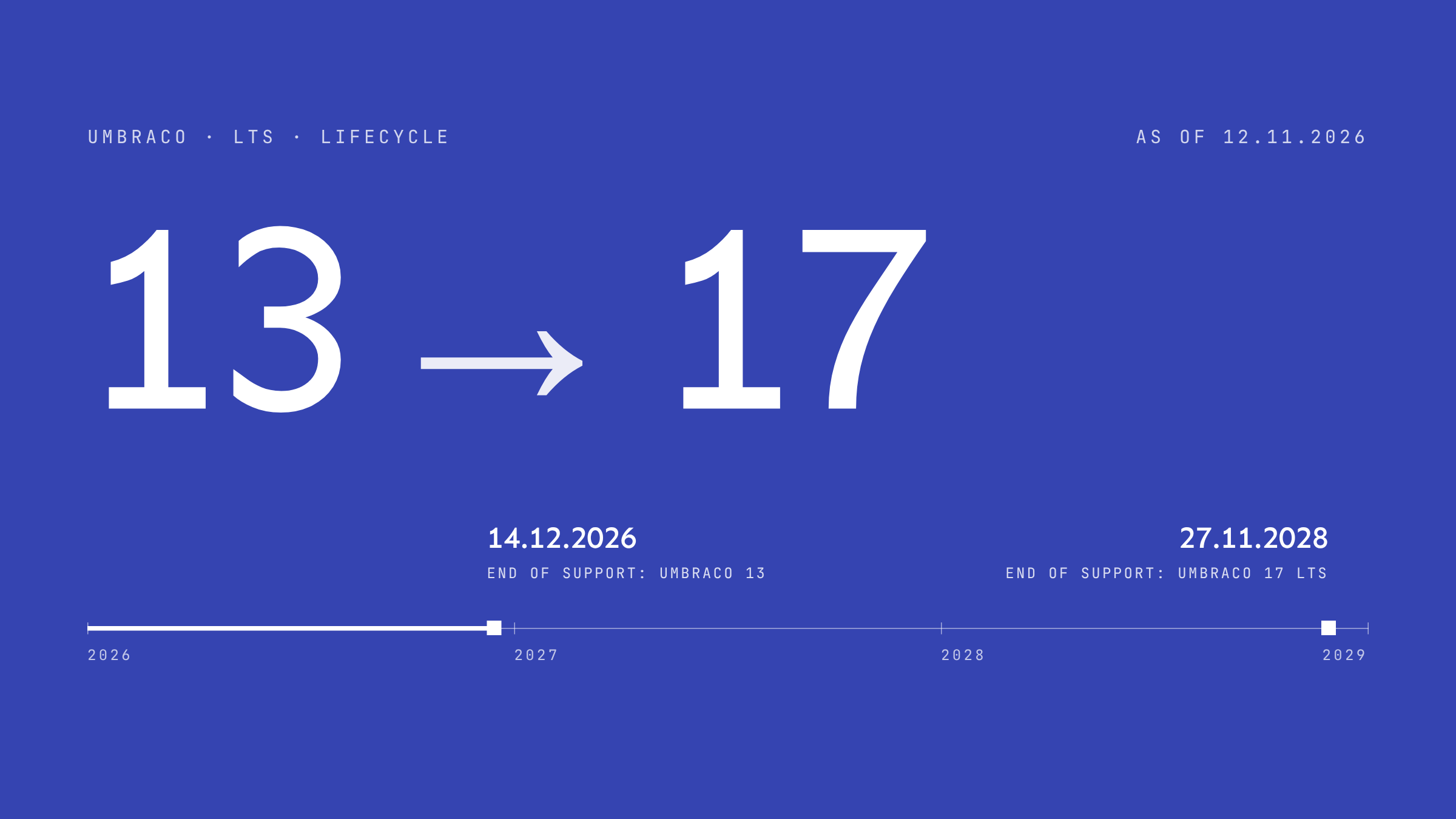
Staying on Umbraco 13: risks and upgrade plan
Umbraco 13 reaches end of life on 14 December 2026 and .NET 8 support has ended. The risks, your options and a step-by-step plan to Umbraco 17 LTS.
Coming soon
More project notes
New posts will appear here and on the blog.